VoiSpark
AI voice generator with cloning and 30 languagesNatural voices, cloned or custom
Highlights
What you can do with it
- A video producer generating a voiceover
- A podcaster recording a natural narration
- A creator building a custom voice for a series
How to use it
- 1 Register an account and log in
- 2 Choose voice generation or cloning
- 3 Adjust emotion, style, and language
- 4 Save or download the audio for your project
Who it is for
Pros
- Free trial to test the voices
- Realistic, detailed speech output
- Cloning that keeps emotional tone
- Broad language coverage
Limitations
- Voice cloning requires consent, and misuse can break platform rules and local law, with consequences on you
- The free trial is followed by paid use
- Cloned voice quality depends on the source sample
- Generated audio still needs review for pronunciation and pacing
What VoiSpark is
VoiSpark is an AI voice generation platform covering three things: natural text-to-speech, voice cloning, and custom AI voices. The speech output is described as realistic and detailed, and the cloning feature is meant to preserve the emotion of the original voice rather than just the timbre. Custom voices can be designed as multilingual characters, which suits recurring use in a series or a product. Around 30 languages are supported, so the same voice can carry across markets. The main audiences are video producers, podcast hosts, and content creators, and the platform offers a trial it describes as fully free.
What you can do with it
- Generate natural text-to-speech for a video or podcast.
- Clone an existing voice and keep its emotional tone.
- Build a custom AI voice as a multilingual character.
- Work across roughly 30 languages.
Who it is for
- Video producers who need voiceover tracks.
- Podcasters recording narration and intros.
- Content creators building a recurring voice for a series.
What to watch out for
Voice cloning needs consent. Replicating someone's voice without permission can break the rules of the platforms you publish on and can raise legal issues around voice and likeness rights, and the consequences fall on you rather than the tool. Only clone a voice you own or have clear written permission to use. The trial is followed by paid use, so plan for that if the voices work for you. Clone quality depends heavily on the source sample, so a short or noisy recording gives a weak result. Always listen to the generated audio in full, since pronunciation and pacing errors are easy to miss when you are skimming.
FAQ
Is VoiSpark free?
The site describes a fully free trial.
How many languages?
Around 30 languages are supported.
Can it clone a voice?
Yes, and it says the clone keeps the original emotion. You need permission from the voice owner.
Why it is free
What the official page says: free trial
Free limits, trial length and features are decided by the official site and can change at any time.
Product preview
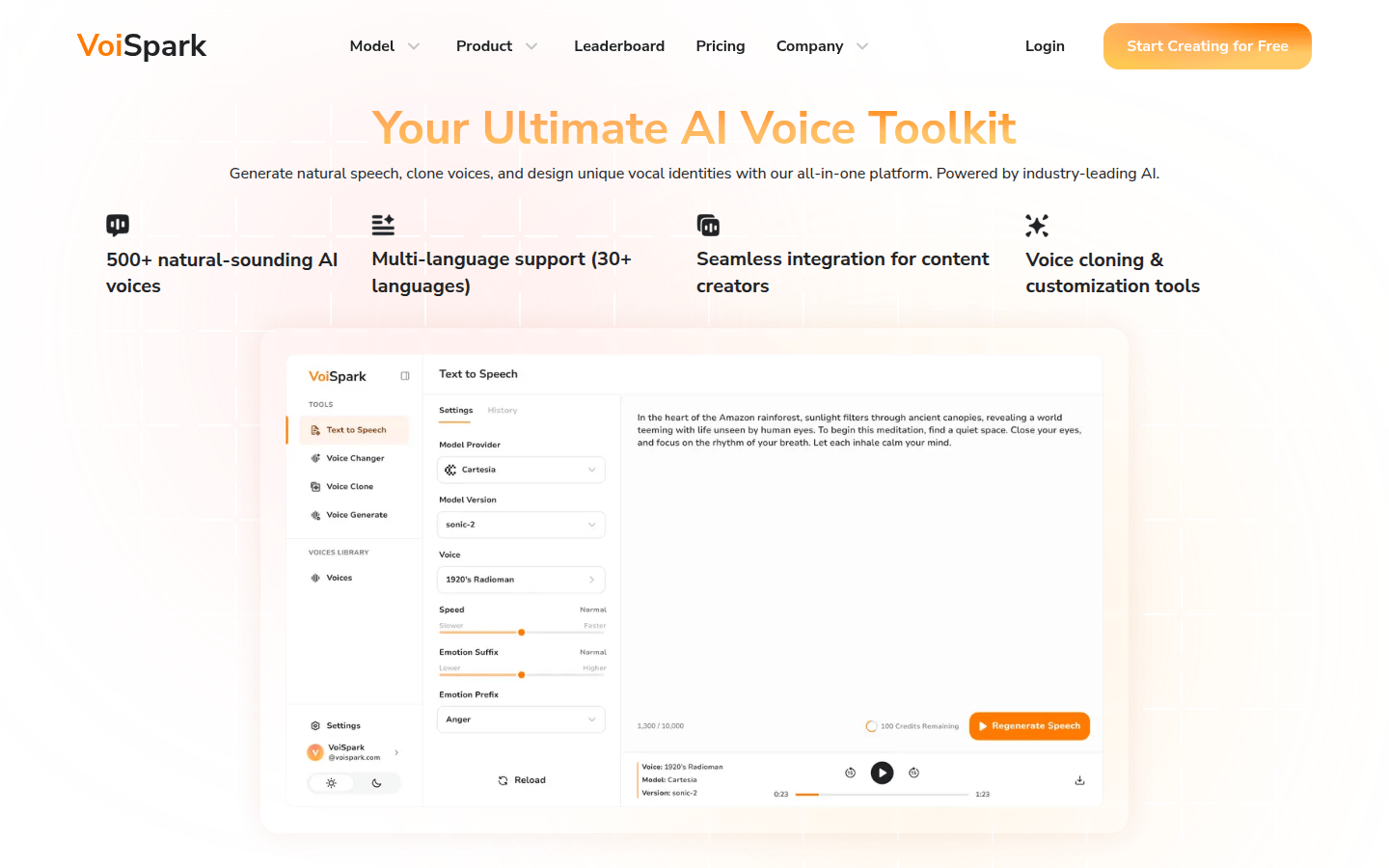
Screenshot archived from the listing page, for preview only.