Basic Version
AI email reply assistantDraft customer emails with AI
Highlights
What you can do with it
- Shorten response time for an e commerce support inbox.
- Help a small startup save labor cost and reply more often.
- Handle student or customer inquiries consistently.
How to use it
- 1 Register and log in to your account.
- 2 Connect your email such as Gmail or Outlook.
- 3 Pick the emails to handle and set reply templates.
- 4 Adjust replies based on customer feedback, then send.
Who it is for
Pros
- Drafts replies in seconds to cut response time.
- Matches customer tone for natural messages.
- Integrates with common email and spreadsheet tools.
- Free trial to test before paying.
Limitations
- A free trial is offered, but ongoing use likely needs a paid plan.
- Pricing and trial terms can change over time.
- You must connect your email, so review privacy and permissions.
- AI drafts still need a human check for accuracy and tone.
What Basic Version is
Basic Version is an AI email assistant for customer service. It uses AI to draft personalized email replies in seconds, which helps small teams and solo entrepreneurs keep up with a busy inbox. You can tune replies to match the tone and style of the customer so the message reads naturally rather than robotic. It connects to common email services such as Gmail and Outlook, and it can link to Google Sheets and Excel data so replies and records stay in sync. The product is aimed at small and medium enterprises and individual entrepreneurs, and it offers a free trial with flexible paid options for businesses that need more.
What you can do with it
- Draft instant, personalized email replies in seconds.
- Match the tone and style of the customer you are writing to.
- Connect to Gmail, Outlook, and spreadsheet data.
- Save labor cost while raising reply frequency and consistency.
Who it is for
- Small and medium enterprises running a support inbox.
- Solo entrepreneurs who answer their own email.
- E commerce teams handling many customer questions.
- Small startups that cannot hire more support staff yet.
What to watch out for
Basic Version offers a free trial, but ongoing use likely needs a paid plan, and pricing and trial terms can change over time, so confirm current details before committing. Because it connects to your email and data, review the privacy and permission settings before you grant access. AI drafts can still miss context or nuance, so a person should check replies for accuracy and tone before sending. Set up templates and feedback loops to get better results over time.
FAQ
Is there a free trial?
Yes. The product offers a free trial with flexible paid options afterward.
Which email services work with it?
It integrates with Gmail, Outlook, and similar email services.
Who is it built for?
It is aimed at small and medium enterprises and individual entrepreneurs.
Will replies sound natural?
It customizes replies to the customer tone and style, but you should still review each draft.
Why it is free
What the official page says: 免费试用免费
Free limits, trial length and features are decided by the official site and can change at any time.
Product preview
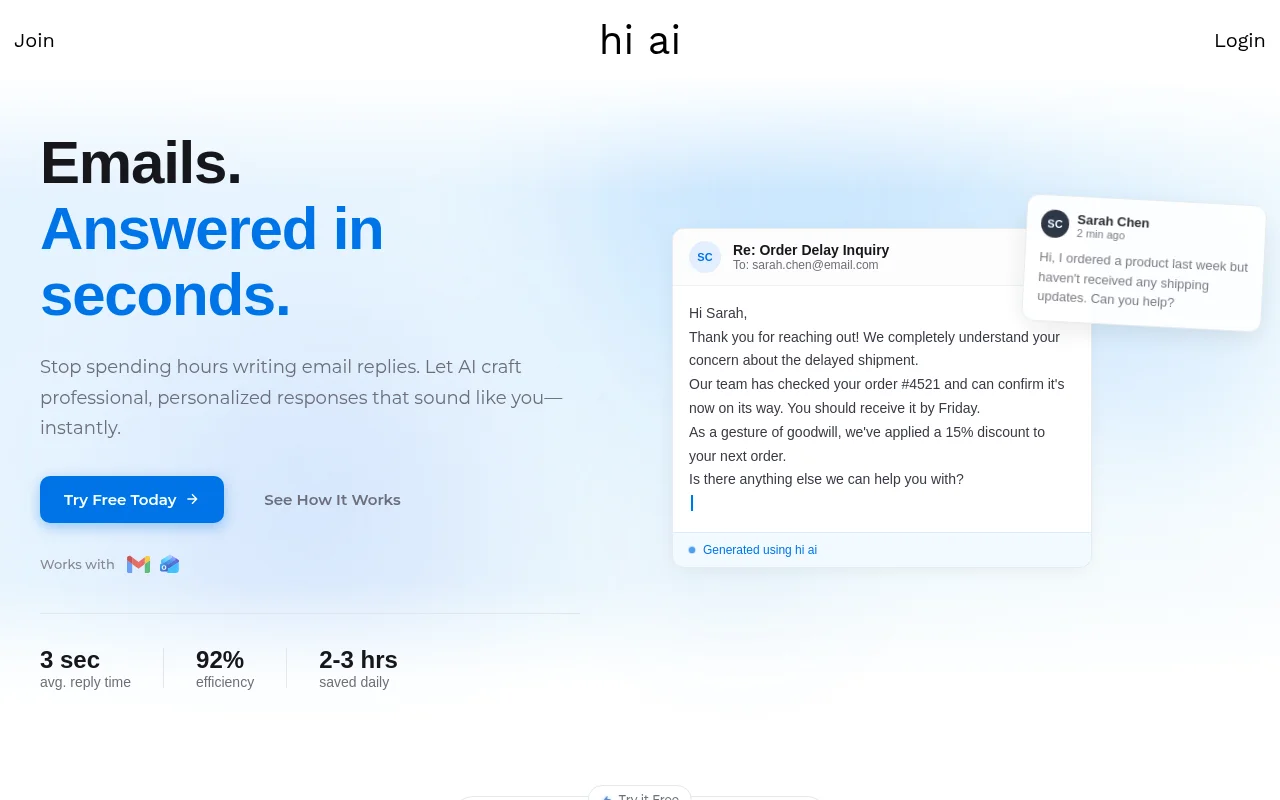
Screenshot archived from the listing page, for preview only.