YITU Mind Map
Cross-platform mind mapping softwareMind maps on desktop, web, and mobile
Highlights
What you can do with it
- Plan a project with a mind map
- Manage meeting notes visually
- Organize reading notes
How to use it
- 1 Download the app or open the web version
- 2 Pick a template or start a new map
- 3 Add your content and use AI help if needed
- 4 Sync to the cloud and share
Who it is for
Pros
- Works on desktop, web, and mobile
- AI mind mapping and cloud sync
- Large template and theme library
Limitations
- The professional version costs more than the free version
- Some features depend on the paid tier and cloud account
- Advanced maps can take time to learn
What YITU Mind Map is
YITU Mind Map is a cross-platform mind mapping software. It runs on Windows, Mac, and Linux desktop environments, and it is also available online or on mobile devices such as Apple and Android phones and tablets. It brings together a mind mapping community and a cloud platform, so your maps can follow you across devices. The professional version offers more powerful features than the free version. Key features include AI intelligent mind mapping, cross-platform cloud storage, high-value theme styles, and a large library of mind map templates for project planning, meeting management, and reading notes.
What you can do with it
- Build mind maps on desktop, web, and mobile
- Use AI help to structure a map
- Sync maps to the cloud across platforms
- Start from many templates and themes
Who it is for
- People who work across desktop and mobile
- Teams that need cloud-synced maps
- Users who want many templates and themes
What to watch out for
The professional version costs more than the free version, and some of the more powerful features and larger cloud use depend on that paid tier, with pricing that can change. Cloud sync means you need an account, and sensitive maps are stored on the service, so review their data terms. Advanced maps and AI features take time to learn, so start simple. Keep local copies of important maps in case the service changes. Features and interface details may change between versions, so review the latest notes on the page before you start. For team use, agree on naming and editing conventions in advance to avoid version conflicts or duplicated work.
FAQ
Is there a free version?
There is a free version, and the professional version offers more powerful features.
What platforms does it support?
It runs on Windows, Mac, and Linux, and also online and on Apple and Android mobile devices.
Does it use AI?
Yes. It includes AI intelligent mind mapping along with cloud storage and many templates.
Why it is free
What the official page says: free version
Free limits, trial length and features are decided by the official site and can change at any time.
Product preview
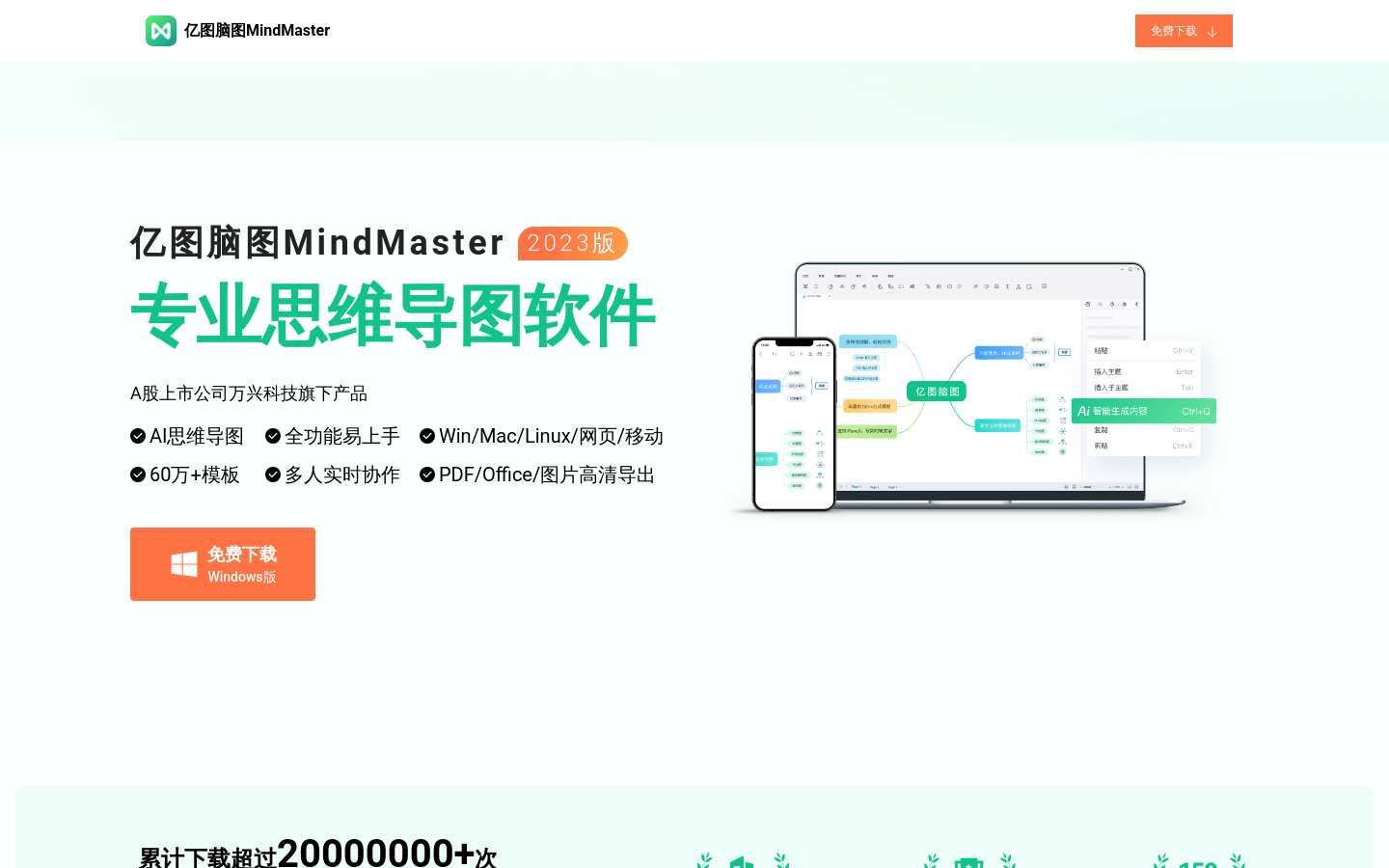
Screenshot archived from the listing page, for preview only.